Cluster Configuration
Write the config into a YAML file, and pass it to sind create cluster --config FILE (see Cluster Lifecycle).
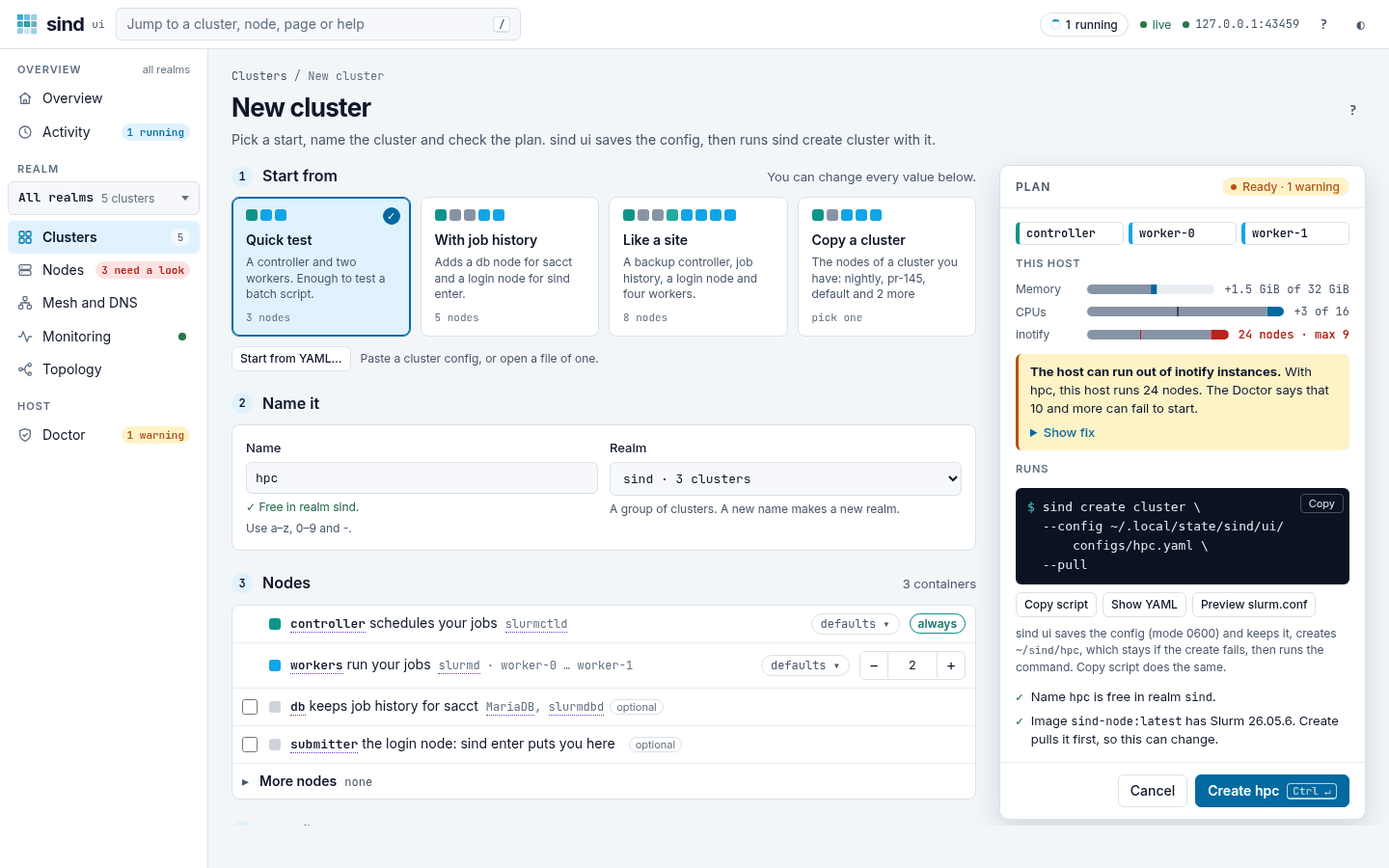
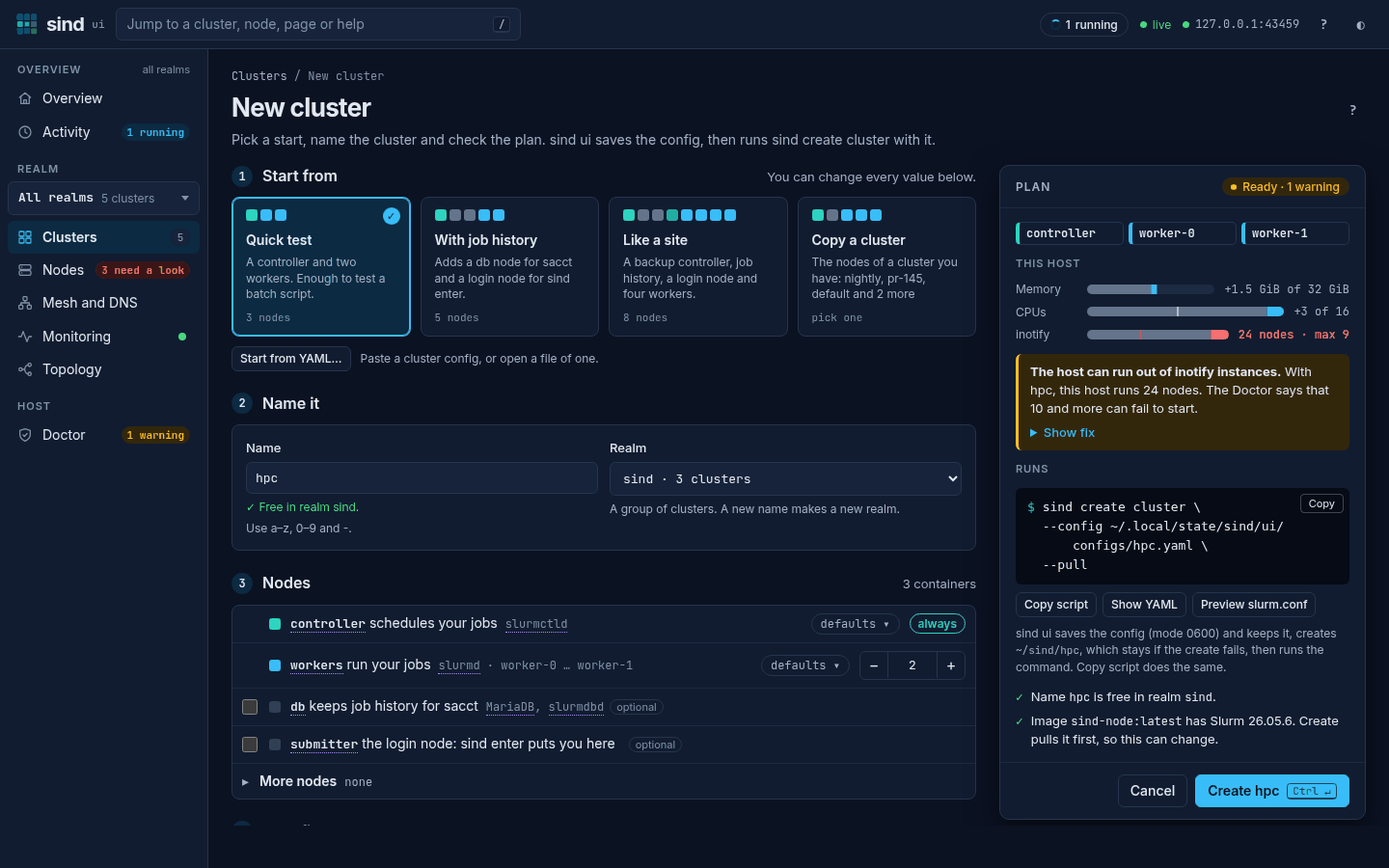
The New cluster page of sind ui writes the config from its form. Edit YAML, under Show YAML in the plan, opens the whole config in an editor, also the fields that the form has no field for; Start from YAML… opens the editor for a config that you paste or open from a file, and Copy YAML copies the config. sind ui saves the config in ~/.local/state/sind/ui/configs/, so you can use it with the CLI too (see Actions).
Minimal configuration
The simplest valid configuration creates a cluster with one controller and one worker using the default image:
kind: ClusterThis is equivalent to the fully expanded form:
kind: Cluster
name: default
defaults:
  image: ghcr.io/gsi-hpc/sind-node:v0.16.1  # the image of your sind release
  cpus: 1
  memory: 512m
  tmpSize: 256m
nodes:
  - role: controller
  - role: worker
Full example
kind: Cluster
name: test-cluster

defaults:
  image: ghcr.io/gsi-hpc/sind-node:latest
  cpus: 1
  memory: 512m
  tmpSize: 256m

storage:
  dataStorage:
    type: volume
    mountPath: /data

groups:
  - name: hpc
    gid: 3000

users:
  - alice
  - name: bob
    uid: 2001
    group: hpc
    accounts: [physics]

accounts:
  - physics

slurm:
  main: |
    SelectType=select/cons_tres
    SelectTypeParameters=CR_Core_Memory
  cgroup: |
    ConstrainRAMSpace=yes
  slurmdbd: |
    PurgeJobAfter=1month

nodes:
  - role: controller
    cpus: 2
    memory: 1g
    tmpSize: 512m

  - role: db

  - role: api                    # slurmrestd, Slurm 26.05 images only

  - role: submitter

  - role: worker
    count: 3
    cpus: 2
    memory: 1g

  - role: worker
    count: 2
    managed: false
Top-level fields
| Field | Required | Default | Description |
|---|---|---|---|
kind |
yes | — | Must be "Cluster" |
name |
no | "default" |
Cluster name, used in resource naming; must be a valid name (see below). The NAME argument of sind create cluster and SIND_CLUSTER take precedence: see Create a cluster |
realm |
no | "sind" |
Realm namespace for resource isolation; must be a valid name (see below). --realm and SIND_REALM take precedence, and later commands do not read it: see Realms |
defaults |
no | — | Default settings applied to all nodes |
storage |
no | — | Shared storage configuration |
slurm |
no | — | Slurm configuration extension |
users |
no | — | Linux user accounts on every node |
groups |
no | — | Linux groups for the users |
accounts |
no | — | Slurm accounts, with a managed db node |
identity |
no | local |
Which nodes get the users, and how Slurm authenticates them |
monitoring |
no | false |
Collect the cluster’s metrics and logs in the realm’s monitoring stack (see Monitoring) |
nodes |
no | 1 controller + 1 worker | Node definitions |
Cluster and realm names end up in Docker resource names, DNS names and paths, so each must be a single DNS label: lowercase ASCII letters, digits and -, 1 to 63 characters, not beginning or ending with -. Names such as Dev, my_cluster, dev.test or ../x are rejected. The same rule applies to cluster names given on the command line or in SIND_CLUSTER, and to --realm and SIND_REALM. A cluster may not be named ssh, as its config volume would be the realm’s SSH volume, <realm>-ssh-config, nor have a name ending in -ssh, as the config volume of cluster x-ssh would be the SSH volume of realm <realm>-x. With a managed db node, the cluster name has at most 40 characters, Slurm’s limit for clusters with accounting: slurmdbd builds the names of the cluster’s database tables from it.
Defaults section
The defaults section sets values inherited by all nodes unless overridden at the node level.
| Field | Default | Description |
|---|---|---|
image |
the image of the sind release, e.g. ghcr.io/gsi-hpc/sind-node:v0.16.1 (details) |
Container image |
cpus |
1 |
CPU limit per container; a managed worker’s Slurm CPUs |
memory |
"512m" |
Memory limit per container, without swap, in Docker’s size syntax (see below); a managed worker’s Slurm RealMemory; /dev/shm gets half of it |
tmpSize |
"256m" |
tmpfs size for /tmp; files there count against memory |
capAdd |
none | Extra Linux capabilities |
capDrop |
none | Dropped Linux capabilities |
devices |
none | Host devices to expose |
securityOpt |
none | Extra security options |
Scalar fields (image, cpus, memory, tmpSize) are overridden by per-node values. List fields (capAdd, capDrop, devices, securityOpt) are merged with per-node values.
memory takes Docker’s size syntax: a number, optionally with a fraction, and an optional unit b, k, m, g, t or p, in either case, the last five optionally followed by b or ib. All units are powers of 1024 and a number without a unit counts bytes, so 512m, 2g, 2GB, 2GiB, 1.5g and 1073741824 are valid. It must be at least 6m, Docker’s minimum. A managed worker’s Slurm RealMemory is its memory in MiB, rounded down, with no reserve for the node’s daemons or its /tmp, a tmpfs that counts against the limit; jobs that do not ask for memory get a share per CPU (see DefMemPerCPU). tmpSize is passed to the kernel as the tmpfs size: a whole number with an optional unit k, m, g, t, p or e, or a percentage, such as 10%. The kernel takes a percentage of the Docker host’s RAM, not of the node’s memory. cpus must not be negative; 0 means the default.
memory covers everything in a node: the jobs, the node’s own services (systemd, munge, sshd, the Slurm daemon; also mariadb and slurmdbd on a db node) and files in /tmp, /run and /dev/shm. Slurm is told the whole limit (RealMemory), so raise memory for jobs that need much memory or /tmp.
Workers added later with sind create worker do not read the config: they take these settings from the cluster’s newest worker (see Worker Management).
Storage section
storage:
  dataStorage:
    type: hostPath     # "hostPath" or "volume"
    hostPath: ./data   # existing host directory for type: hostPath
    mountPath: /data   # default: /data
  cvmfs: true          # mount CVMFS read-only at /cvmfs (default: false)
Data storage
| Field | Default | Description |
|---|---|---|
type |
set by --data |
"hostPath" bind-mounts hostPath; "volume" uses the Docker volume <realm>-<cluster>-data and ignores hostPath. A hostPath without type means "hostPath" |
hostPath |
— | Host directory, required with type: hostPath. It must exist: sind create cluster fails otherwise rather than have Docker create it as root. A relative path is taken relative to the directory sind create cluster runs in and stored as an absolute path |
mountPath |
"/data" |
Absolute mount point inside the nodes |
If the config sets neither type nor hostPath, the --data flag of sind create cluster decides; its default, ., bind-mounts the working directory (see Data mount).
Workers added with sind create worker mount the data at the same place, sind get cluster reports it there, and sind enter and sind exec start in it.
CVMFS
cvmfs: true mounts CVMFS read-only at /cvmfs on every node, including workers added later with sind create worker. Repositories mount on demand when first accessed. The mount comes from the cvmfs Docker volume plugin if one is installed and enabled, otherwise from the Docker host’s /cvmfs; sind create cluster fails if neither is available. See Using CVMFS for the requirements of each.
Users section
sind configures root on every node. users adds Linux user accounts, e.g. to run jobs as someone other than root, and groups Linux groups for them:
groups:
  - name: hpc
    gid: 3000      # default: lowest free gid from 1000
users:
  - alice          # bare name
  - name: bob
    uid: 2001      # default: lowest free uid from 1000
    group: hpc     # primary group instead of a private one
  - name: carol
groups: [hpc] # supplementary groups| User field | Default | Description |
|---|---|---|
name |
— | User name: a lowercase letter or _, then lowercase letters, digits, _ and -, at most 32 characters |
uid |
lowest free from 1000 |
ID of the user, between 1000 and 2147483647, but not 65534 or 65535 |
group |
private group | Primary group, from groups. Without it, the user gets a private group of its own name with gid = uid |
groups |
none | Supplementary groups, from groups |
accounts |
none | Slurm accounts the user gets associations with, from accounts; the first is the default account |
coordinator |
none | Slurm accounts the user coordinates, from accounts |
adminLevel |
none | Slurm admin level: operator or admin. Needs accounts |
| Group field | Default | Description |
|---|---|---|
name |
— | Group name, with the same rules as user names. It must not be the name of a user with a private group |
gid |
lowest free from 1000 |
ID of the group, between 1000 and 2147483647, but not 65534 or 65535 |
Users without uid get their IDs first, in list order, skipping the explicit gids; then groups without gid get the lowest IDs no user or group has. Set the IDs explicitly to keep file ownership stable across re-creates, e.g. on a hostPath data directory.
Every node, including workers added later with sind create worker, gets each group and user with the same IDs, as munge and Slurm require. With task/affinity in the TaskPlugin of the main section, managed workers also get the SYS_NICE capability, which slurmstepd then needs to bind the tasks of users other than root (see Capabilities and devices). The identity mode can keep them off some nodes. The home directories, /home/<user>, are on the Docker volume <realm>-<cluster>-home, which every node mounts at /home, so job output written there is the same on every node. The realm’s SSH key may log in as each user, as it may as root. See Node access for running commands as a user.
A user or group name that already exists in the image, such as root, slurm or wheel, or a uid or gid an account of the image already has, such as Ubuntu’s ubuntu at 1000, makes sind create cluster fail. See Custom image requirements.
Accounts section
With a managed db node, accounts declares Slurm accounts, and the users’ accounts, coordinator and adminLevel fields give them associations and roles:
nodes: [controller, db, submitter, worker: 2]
accounts:
  - physics          # bare name, parent root
  - name: theory
    parent: physics
    limits:
      MaxJobs: 1
users:
  - name: alice
    accounts: [theory]
  - name: bob
    accounts: [physics, theory]   # the first is the default account
coordinator: [physics]| Account field | Default | Description |
|---|---|---|
name |
— | Account name: lowercase letters, digits, _ and -, not starting with -, at most 64 characters, not root |
parent |
root |
Parent account: root or an account declared before this one |
limits |
none | Further sacctmgr add account options, passed as key=value, e.g. GrpTRES: cpu=4, MaxJobs: 1, Fairshare: 10. The keys are among the options listed below |
Once slurmctld has registered the cluster with slurmdbd, sind runs sacctmgr -i on the controller: add account for each account, in list order; add user for each user with accounts, with defaultaccount set to the first and adminlevel if set; then add coordinator. The example runs:
sacctmgr -i add account physics
sacctmgr -i add account theory parent=physics MaxJobs=1
sacctmgr -i add user alice account=theory defaultaccount=theory
sacctmgr -i add user bob account=physics,theory defaultaccount=physics
sacctmgr -i add coordinator account=physics names=bob
limits keys are these options, in any case: Description, Organization and Flags of the account, and Comment, DefaultQOS, Fairshare (or Shares), GrpJobs, GrpJobsAccrue, GrpSubmitJobs, GrpTRES, GrpTRESMins, GrpTRESRunMins, GrpWall, MaxJobs, MaxJobsAccrue, MaxSubmitJobs, MaxTRES (or MaxTRESPerJob), MaxTRESMins (or MaxTRESMinsPerJob), MaxTRESPerNode, MaxTRESRunMins, MaxWall (or MaxWallDurationPerJob), MinPrioThresh, Priority and QOS (or QosLevel) of its association. sacctmgr accepts abbreviations, but sind takes only these full names, so that no key reaches the name, parent or cluster options sind sets.
The YAML parser reads unquoted numbers before sind sees them, and sind passes them in plain decimal form: MaxJobs: 1 becomes MaxJobs=1, but MaxJobs: 010 is octal and becomes MaxJobs=8, and Description: 1.10 becomes Description=1.1. Quote a value to pass it as written, e.g. Description: "1.10".
sind runs the sacctmgr commands in one docker exec and stops at the first that fails; sind create cluster then fails with that command and what sacctmgr printed. Every account a user names must be declared, so a typo fails validation instead of creating a new account. See Users and Identity for a worked example with limits and roles. The associations are in place when sind create cluster returns. sind does not enforce them: set AccountingStorageEnforce=associations,limits in the main section to reject jobs without an association and apply the limits. Without limits (or safe or all) there, Slurm ignores the Max* and Grp* limits, and sind create cluster prints a warning. Slurm accounts and Linux groups are unrelated, even when they share a name.
Identity section
identity selects where the nodes look up the users, and how Slurm authenticates them. It is a mode, or an object with mode and controllerUsers:
identity: nssSlurm # local (default) | nssSlurm | clientIdsidentity:
mode: clientIds
controllerUsers: true # also give the controllers the users, for AllowGroups| Mode | Linux accounts on | What sind sets up |
|---|---|---|
local |
every node | munge |
nssSlurm |
every node but the managed workers | munge; LaunchParameters=enable_nss_slurm; slurm first for passwd and group in the workers’ /etc/nsswitch.conf |
clientIds |
the submitter, or the controllers without one; the controllers too with controllerUsers |
as nssSlurm, plus AuthType=auth/slurm and AuthInfo=use_client_ids in slurm.conf and slurmdbd.conf and CredType=cred/slurm in slurm.conf, a slurm.key instead of a munge key, munge masked on every node and sackd on the submitter |
The slurm.conf parameters are set unless the main section sets them. A value set there must keep sind’s, or validation fails: LaunchParameters must list enable_nss_slurm, and with clientIds AuthInfo must list use_client_ids, AuthType be auth/slurm and CredType cred/slurm. Unmanaged nodes, such as managed: false workers, get the Linux accounts in every mode. nssSlurm and clientIds need a managed cluster, and managed workers whose image has nss_slurm (libnss_slurm.so.2), as the official images do. Official images cached before identity modes existed lack it under the same tags; sind refuses such a cached image before it creates anything, and --pull fetches a current one. See Users and Identity for how each mode resolves users, and how to choose one. With an api node and clientIds, sind also lets REST API tokens carry the user’s identity (use_jwt_client_ids); see REST API.
Monitoring
monitoring: true sends the cluster’s Slurm metrics, its nodes’ resource use and their journals to the realm’s monitoring stack, Prometheus, Loki and Grafana with Grafana Alloy collecting, which the first monitored cluster of the realm creates:
monitoring: true # default: falsesind create cluster --monitoring does the same, also on top of a config; --monitoring=false does not turn off monitoring: true. The setting is fixed for the cluster’s life, and workers added with sind create worker follow it. It needs a managed cluster and images with Slurm 26.05 or later and its HTTP parser plugin, as the official 26.05 images have; sind create cluster checks the images before it creates any node. On a monitored cluster sind sets MetricsType=metrics/openmetrics in slurm.conf, unless the main section sets it, and every node mounts its journal directory from the realm’s volume <realm>-journal. See Monitoring.
Slurm section
The slurm section extends the generated Slurm configuration. Each key maps to a config file:
| Key | Config file | sind generates defaults |
|---|---|---|
main |
slurm.conf |
yes |
cgroup |
cgroup.conf |
yes |
gres |
gres.conf |
no |
topology |
topology.conf |
no |
plugstack |
plugstack.conf |
yes (always scaffolded) |
slurmdbd |
slurmdbd.conf |
yes (needs a managed db node) |
Each key supports two forms:
String form — content appended to the config file:
slurm:
  main: |
    SelectType=select/cons_tres
    SelectTypeParameters=CR_Core_Memory
  cgroup: |
    ConstrainRAMSpace=yes
Map form — named fragments placed in a .conf.d/ directory:
slurm:
  main:
    scheduling: |
      SchedulerType=sched/backfill
      SchedulerParameters=bf_continue
    resources: |
      SelectType=select/cons_tres
Fragment validation:
- Names must be plain filenames (no path separators)
- Names and content must not be empty
main goes into slurm.conf after sind’s parameters and before the include of sind-nodes.conf, sind’s nodes and its default partition all. A parameter main sets replaces sind’s, and NodeName=DEFAULT and PartitionName=DEFAULT lines there apply to sind’s nodes and partition, e.g. PartitionName=DEFAULT DefaultTime=00:30:00 for a default time limit. See Slurm Configuration for details on the generated files.
Trust
Validation checks a config’s form, not its intent. A cluster config, like the --data flag, is as trusted as a script run with your Docker access, which amounts to root on the Docker host:
imageruns any image, whose init and services run as root.storage.dataStorage.hostPathbind-mounts any host directory read-write into every node,/included.capAdd,devicesandsecurityOptgive nodes host privileges, such asSYS_ADMIN, raw block devices orapparmor=unconfined.- The
slurmsections set programs Slurm runs as root, such asPrologorHealthCheckProgram.
Use only configs you would run as a script: not a config from an untrusted pull request in a privileged CI workflow, and not one an agent wrote that you have not read.
Validation rules
kindmust be"Cluster"- Exactly one
controllernode is required - At most one
dbnode is allowed - At most one
apinode is allowed - At most one
submitternode is allowed - At least one
workernode is required countis only valid for worker nodesmanagedis only valid for controller, db, api and worker nodes- With
managed: falseon the controller, no worker, db or api node may setmanaged: trueand noslurmsection may be set backupControlleris only valid for controller nodes- The
slurmdbdsection requires a manageddbnode, and must not setDbdHost,SlurmUser,StorageType,StorageHost,StorageLocorStorageUser: sind sets up the accounting database on the db node and points slurmdbd at it. AnAuthTypeit sets must be the cluster’s,auth/slurmwith identityclientIdsandauth/mungeotherwise; withclientIds, anAuthInfoit sets must listuse_client_ids - With a managed
apinode, anAuthAltTypesthat themainorslurmdbdsection sets must listauth/jwt - With
backupController,slurm.mainmust not setSlurmctldHost(or its deprecated formsControlMachine,BackupController,BackupAddr) orStateSaveLocation countmust not be negative;0means the default, 1cpusmust not be negative;memoryandtmpSizemust be valid sizes (see Defaults section), indefaultstoocapAdd/capDropvalues must be recognized Linux capability names (e.g.SYS_ADMIN,NET_ADMIN,ALL)devicespaths must be absolute (start with/)securityOptentries must name an option Docker knows, with a value:label=,apparmor=,seccomp=,no-new-privileges(value optional),writable-cgroups=orsystempaths=storage.dataStorage.typemust bevolumeorhostPath;hostPathrequires ahostPath, andmountPathmust be absolute, contain no comma and not be a path where the nodes already mount something:/etc/slurm,/etc/munge(except with identityclientIds),/tmp,/run,/run/lock,/homewithusers,/cvmfswithstorage.cvmfs,/var/spool/slurmctldwithbackupController, or/var/log/journalwithmonitoring- User and group names must be valid (see Users section) and unique;
uidandgidmust be between 1000 and 2147483647, not 65534 or 65535, and unique, private groups included; a user’sgroupandgroupsmust be declared ingroups, andgroupsmust not repeat an entry or the primarygroup identitymust belocal,nssSlurmorclientIds;nssSlurmandclientIdsrequire a managed cluster;controllerUsersis only valid withclientIds; an identity parameter thatslurm.mainsets must keep sind’s value (see Identity section)monitoringrequires a managed controller; with it, themainsection must not set aMetricsTypeother thanmetrics/openmetrics, aCommunicationParametersthat listsdisable_http, orMetricsAuthUsers, and withPrivateDatait must setMetricsParameters=ignore_private_data, so that the monitoring stack can read slurmctld’s metrics without a tokenaccounts, and the users’accounts,coordinatorandadminLevel, require a managed db node; account names must be valid and unique (see Accounts section); aparentmust berootor declared before;limitskeys must be among the options in the Accounts section, with non-empty values; every account a user names must be declared, at most once in each ofaccountsandcoordinator;adminLevelisoperatororadmin;coordinatorandadminLevelneedaccounts- Unknown keys are rejected
- The file is YAML 1.2: a text field takes any scalar as written (
name: 123is123,realm: noisno), and atrue/falsefield also takesyes,no,onandoff, unquoted; anchors, aliases and merge keys (<<: *worker) are followed, so an object, a node’sroleincluded, can take its keys from another
sind create cluster reports the first rule a config breaks and names the config, as config <stdin> when it reads it from stdin. A mistake in the config’s form, such as YAML syntax, an unknown or repeated key, a value of the wrong type, or a role that is not one, also gets its line and key path:
$ sind create cluster --config dev.yaml
12:00:00.000 ERRO config dev.yaml: line 7: nodes[1].Cpus: unknown key (valid: role, count, image, cpus, memory, tmpSize, managed, backupController, capAdd, capDrop, devices, securityOpt); did you mean "cpus"? keys are case-sensitive
A config without content, or with only comments, is config dev.yaml: empty configuration.