Power Control
Commands
sind power <action> NODES- Open the cluster, then the Nodes tab, and select the nodes. Or open the page of one node and its Power menu, which greys out the actions that do not fit the node and says why.
- Press the action in the bar at the bottom of the page, such as Reboot 3 nodes…. The bar says how many nodes you selected and their node set, offers only the actions that fit them, and names in each button the nodes it acts on. When an action fits only some of them, a line names the nodes it skips, such as
Drain and Delete skip controller.Shut down, Freeze and Unfreeze are under More. To start one node that does not run, press Start… in its row. - The dialog confirms the action in short: its title names the action and the nodes, such as Reboot worker-4.dev, and it lists the nodes with their Slurm state and issues, and what keeps running. Read the warnings: the dialog says when the nodes include the controller in control, the standby controller of a pair, the db node or every running worker of the cluster.
- Press the button, which names the action and the nodes, such as Reboot 3 workers.
To pick other nodes or another action, press Change nodes… or open Other actions. Opened without nodes, as from the jump box, the dialog shows its picker: the actions in groups, quick picks such as Need a look and Drained, a node set field such as worker-[0-3], and a table of the nodes with their role, Slurm state and issues. An action that fits none of the ticked nodes is off, and a line says why, such as Start (each runs already).
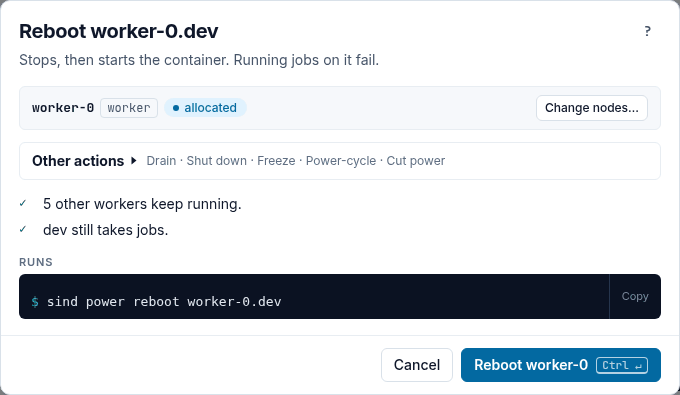
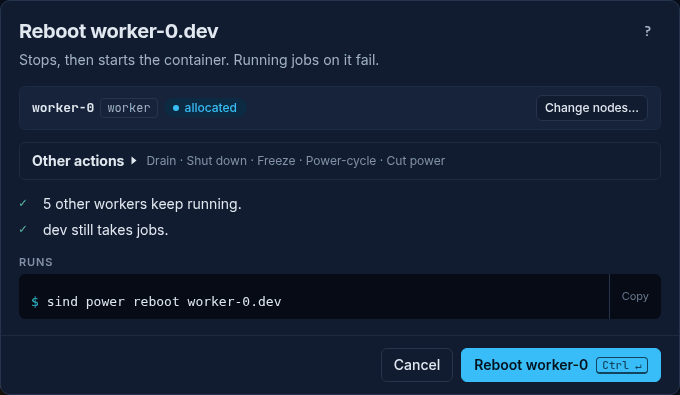
The dialog names the actions as below: Start, Shut down, Reboot, Freeze and Unfreeze under Containers, and Power-cycle and Cut power under Can lose data. Its Slurm (scontrol) group has Drain and Resume (see Drain and resume).
In the table of the Nodes tab, the arrow keys move between the rows and the buttons of a row, Space ticks the node of the row and a moves to the bar.
| Command | Description | Docker operation |
|---|---|---|
shutdown (alias off) |
Graceful shutdown | docker stop (the image’s stop signal, SIGRTMIN+3 for sind-node, then SIGKILL after 10 s) |
cut |
Hard power off | docker kill (immediate SIGKILL) |
on |
Power on | docker start |
reboot |
Graceful reboot | docker stop, then as on |
cycle |
Hard power cycle | docker kill, then as on |
freeze |
Simulate unresponsive node | docker pause (cgroup freezer) |
unfreeze |
Resume frozen node | docker unpause |
A docker verb in place of the action, such as sind power stop, fails with a suggestion of the action that runs it: did you mean "shutdown"?.
docker stop sends the image’s stop signal. The sind-node images set SIGRTMIN+3, which makes systemd shut the node down cleanly. A custom image needs the same stop signal: without it the node gets SIGTERM, which systemd does not treat as a shutdown request, and Docker kills it after 10 seconds.
A power command acts on the nodes of each cluster in parallel, at most 8 at a time, and on several clusters one after another; reboot and cycle take every node of a cluster down before they start any. A node whose Docker call fails does not stop the others: the command reports every failed node and exits non-zero. So does a node whose work hits a bug in sind: the error says sind panicked; this is a bug, please report it, with the details on stderr, and the command exits 1. After Ctrl-C, a power command starts no further node. On a terminal, the progress display shows the nodes as they are stopped, killed, started, paused or unpaused.
Examples
# Graceful shutdown of a single worker
sind power shutdown worker-0

# Hard power off multiple workers
sind power cut 'worker-[0-3]'

# Power on after shutdown
sind power on 'worker-[0-3]'

# Graceful reboot
sind power reboot controller

# Hard cycle
sind power cycle 'worker-[0-1].dev'

# Freeze a node (stays "running" but completely unresponsive)
sind power freeze worker-0

# Resume a frozen node
sind power unfreeze worker-0
Power on
on, reboot and cycle first start the realm’s mesh DNS and SSH relay if they are stopped, then start the nodes, and then point the nodes’ DNS records (<node>.<cluster>.<realm>.sind, used by sind ssh and the host) at their addresses: Docker can give a node another address each time it starts. Last, they start the realm’s monitoring stack if it is stopped and wait until it is ready; if it does not get ready, the command fails, although the nodes are up. These three commands take the realm lock.
After a host reboot or a Docker daemon restart, the mesh and all nodes are stopped; sind power on brings them back (see Networking):
sind power on 'controller,worker-[0-1]'Freeze and unfreeze
freeze uses Docker’s cgroup freezer to suspend all processes in the container. The container remains in a “running” state but is completely unresponsive — it won’t respond to network requests, SSH connections, or Slurm RPCs.
This is useful for simulating:
- Hung or unreachable nodes
- Network partitions (from the node’s perspective)
- Slurm’s node health detection and
SlurmdTimeoutbehavior
Drain and resume
To take workers out of service without stopping them, drain them in Slurm: running jobs go on, and no new job starts on them. Resume lets them take jobs again. sind has no power command for this; run scontrol in the cluster.
sind exec dev -- scontrol update 'NodeName=worker-[2-3]' State=DRAIN 'Reason=disk test'
sind exec dev -- sinfo -R
sind exec dev -- scontrol update 'NodeName=worker-[2-3]' State=RESUME- Open the cluster, then the Nodes tab, and select the workers. Or open the page of one worker and its Slurm menu.
- Press Drain… or Resume…. The Power dialog opens with that action.
- For Drain, write the reason, at most 200 characters on one line.
sinfo -Rshows it. - Press the button, such as Drain 2 workers.
The dialog runs the sind exec … scontrol update command above. It writes no progress, so the task has no run page. The buttons appear when you select a worker that Slurm lists and that is not drained already (Drain) or does not take jobs (Resume); they act only on those workers and count them, such as Drain 2 workers…, and the bar names the nodes they skip. The dialog refuses the workers of an unmanaged cluster, and unmanaged workers, as sind runs no Slurm there.
Restart a service
When one service of a running node failed, such as slurmd, restart that unit before you reboot the node: the container and its other processes go on. sind has no command of its own for this; run systemctl on the node. When munge failed too, restart munge first, as the Slurm daemons need it. When sshd is down, sind ssh cannot log in: reboot the node.
sind ssh worker-4.dev -- systemctl status slurmd
sind ssh worker-4.dev -- systemctl restart slurmd- Open the page of the node. Its card says what failed, when and with which exit status, shows the last lines of the unit’s journal, and lists the fixes under Try in this order.
- Press Restart slurmd…, the first fix. Restart… beside a failed service in Services, and the fix of the row in Needs you, open the same dialog.
- The dialog shows the
sind ssh … -- systemctl restartcommand. Press Restart slurmd.
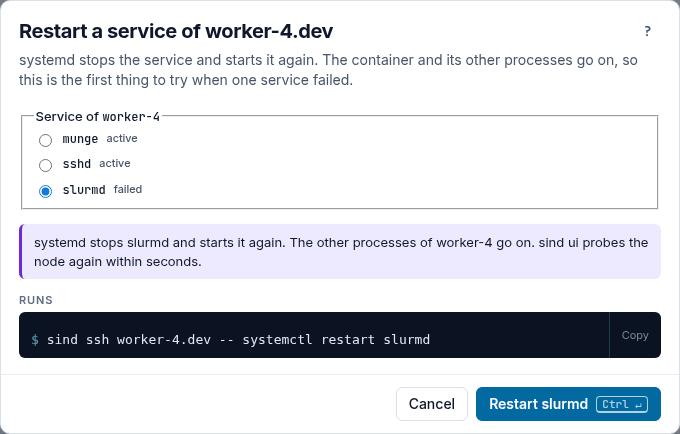
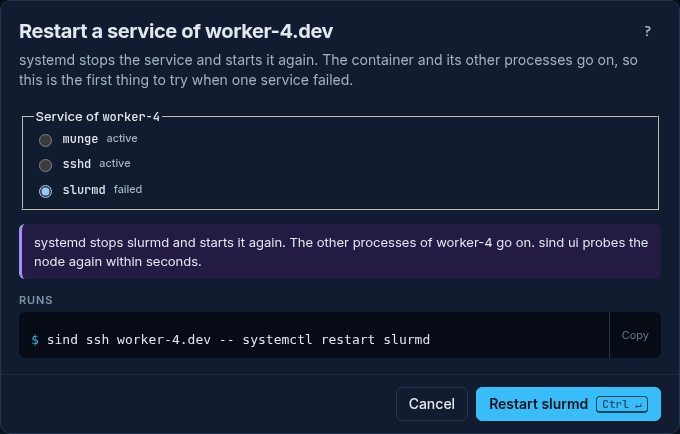
The command writes no progress, so the task has no run page. Once the node’s services are up again, the card turns green, Fixed, for 30 seconds and says what it checked. Until the status shows the service active, the card is blue and waits. If the restart does not help, Reboot… is the next fix.
Node failure detection
slurmctld learns that a frozen, cut or shut down worker is gone only when the worker stops answering its pings, as slurmd does not sign off. sind keeps Slurm’s default SlurmdTimeout=300: the node shows as idle* once a ping fails and turns DOWN about five minutes after it stopped responding. For failure tests, lower the timeout in the main section:
slurm:
  main: |
    SlurmdTimeout=30
slurmctld pings about every third of the timeout, so a worker is then DOWN within about 30 to 40 seconds. A short timeout also marks a slow but healthy node DOWN, which kills its jobs, e.g. on an overloaded CI runner. With ReturnToService=2, which sind sets, the node returns to service once its slurmd registers again, e.g. after sind power unfreeze or sind power on.
Node arguments
All power commands accept node set expressions for targeting multiple nodes:
sind power shutdown 'controller,worker-[0-3]'
sind power cycle 'worker-[0-1].dev,worker-[0-3].default'
sind power freeze 'worker-[0-3]' '!worker-2'