Connecting kind
A kind cluster runs on its own Docker network, so its pods can neither resolve nor reach the nodes of a sind cluster. This guide connects one kind cluster to every cluster of a sind realm: sind connect container attaches the kind nodes to the realm’s networks, CoreDNS forwards the realm’s zone to sind’s DNS server, and a Kubernetes secret holds sind’s SSH key, so that a pod can run Slurm commands on a controller over SSH.
The commands below need kind, kubectl and jq. They read every name and address from sind, so they work for any realm and any number of clusters.
Create the clusters
sind create cluster alpha
sind create cluster beta
kind create cluster --name bridge
The sind clusters share the realm’s mesh, whose DNS server holds the records of both: <node>.<cluster>.<realm>.sind, e.g. controller.alpha.sind.sind.
Attach the kind nodes
A kind node needs the mesh network to reach the DNS server, and each cluster network to reach the addresses that DNS answers with. sind connect container attaches it to all of them:
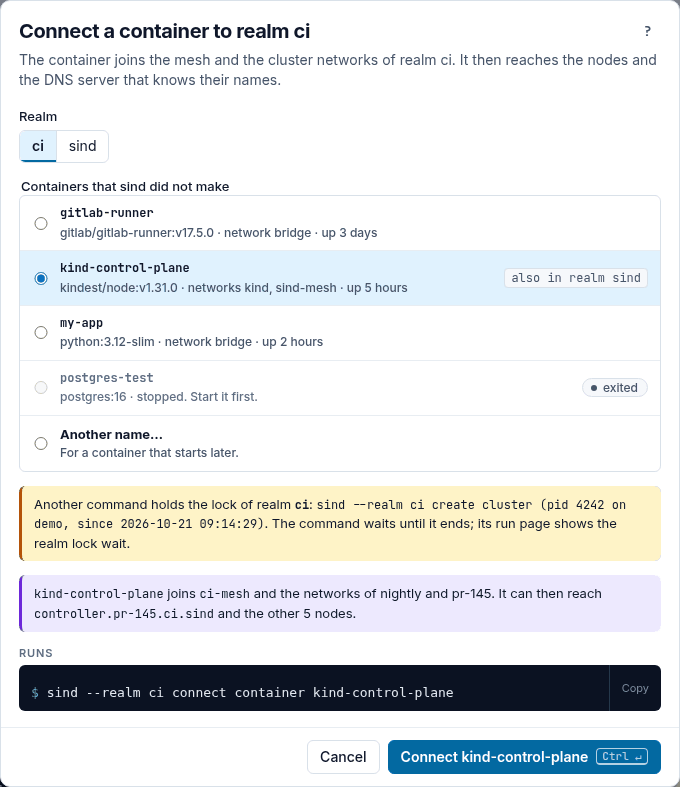
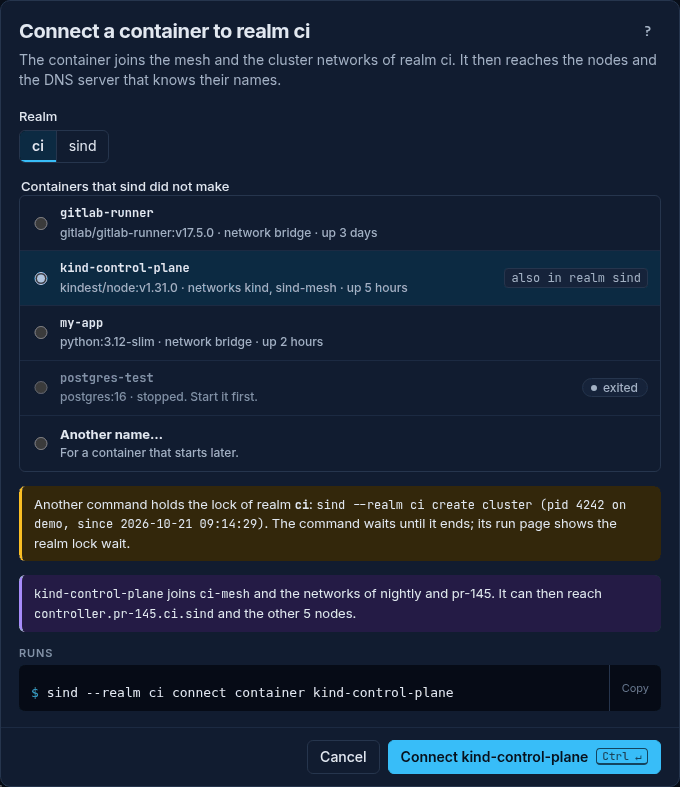
sind connect container $(kind get nodes --name bridge)In sind ui, press Connect a container… on Mesh and DNS, or in the ⋯ menu of the realm’s row on the Overview. Pick a kind node, such as bridge-control-plane, from the list of containers, or pick Another name… and type it, and press Connect bridge-control-plane. Do this for each node that kind get nodes --name bridge lists.
A sind cluster created later is connected to the kind nodes as well, as long as the realm keeps a cluster. Deleting its last cluster removes the mesh, and sind forgets the kind nodes: sind delete cluster names them in a warning, and after the next sind create cluster, sind connect container attaches them again. The new mesh can have another DNS address, so re-apply the forward below too.
Forward the realm’s zone
CoreDNS in kind forwards every name it does not serve to Docker’s embedded DNS, which knows nothing of the realm’s zone. A server block for the zone sends those names to sind’s DNS server instead. sind get coredns-config prints one, and this adds it in front of kind’s own Corefile:
corefile=$(kubectl -n kube-system get configmap coredns -o jsonpath='{.data.Corefile}')
kubectl -n kube-system create configmap coredns --dry-run=client -o yaml \
  --from-literal=Corefile="$(sind get coredns-config)
${corefile}" | kubectl apply -f -
kubectl -n kube-system rollout restart deployment coredns
kubectl -n kube-system rollout status deployment coredns
The DNS server’s address stays the same for as long as the mesh exists (see Networking), so CoreDNS can keep forwarding to it.
Hand over the SSH key
The realm’s private key and known_hosts go into a secret:
kubectl create secret generic sind-ssh \
  --from-file=id_ed25519=<(sind get ssh-private-key) \
  --from-file=known_hosts=<(sind get ssh-known-hosts)
known_hosts lists the nodes that exist when it is read. Create the secret again after adding nodes or clusters.
Run a Slurm command from a pod
The pod runs the image of sind’s SSH relay, which has an SSH client and which kind loads from the host. sind get mesh names it, and the realm’s zone:
ssh_image=$(sind get mesh -o json | jq -r .ssh_image)
dns_zone=$(sind get mesh -o json | jq -r .dns_zone)
kind load docker-image "$ssh_image" --name bridge
kubectl apply -f - <<EOF
apiVersion: v1
kind: Pod
metadata:
  name: sinfo
spec:
  restartPolicy: Never
  dnsConfig:
    options: [{name: ndots, value: "1"}]
  containers:
  - name: ssh
    image: ${ssh_image}
    imagePullPolicy: Never
    command: [ssh, -o, StrictHostKeyChecking=yes,
      -o, UserKnownHostsFile=/ssh/known_hosts, -i, /ssh/id_ed25519,
      root@controller.alpha.${dns_zone}, sinfo]
    volumeMounts: [{name: ssh, mountPath: /ssh, readOnly: true}]
  volumes:
  - name: ssh
    secret: {secretName: sind-ssh, defaultMode: 0400}
EOF
kubectl wait --for=jsonpath='{.status.phase}'=Succeeded pod/sinfo
kubectl logs sinfo
ndots: 1 matters. Kubernetes sets ndots:5 in a pod’s /etc/resolv.conf, so the resolver tries a name with fewer than five dots, such as controller.alpha.sind.sind, with each of the cluster’s search domains first. Some resolvers, musl’s among them, then time out before they try the name as it is.
kubectl wait and kubectl logs read the output reliably; kubectl run -i --rm can lose it when the container ends before kubectl attaches.
Tear down
kind delete cluster --name bridge
sind delete realm
The order does not matter. sind delete realm, like sind delete cluster, disconnects every container still attached to the networks it removes, kind nodes included, stopped or running, and leaves the containers themselves alone. To keep the kind cluster and the sind clusters, but part them, run sind disconnect container $(kind get nodes --name bridge).